Once the assistant could read my data (part before this one), the obvious next step was letting it do things. But "an AI that can act on my medical data" is exactly the sentence that should make you nervous. So I built its hands in two deliberate layers, both designed to be trustworthy before they're clever.
The layer that acts — and then stops
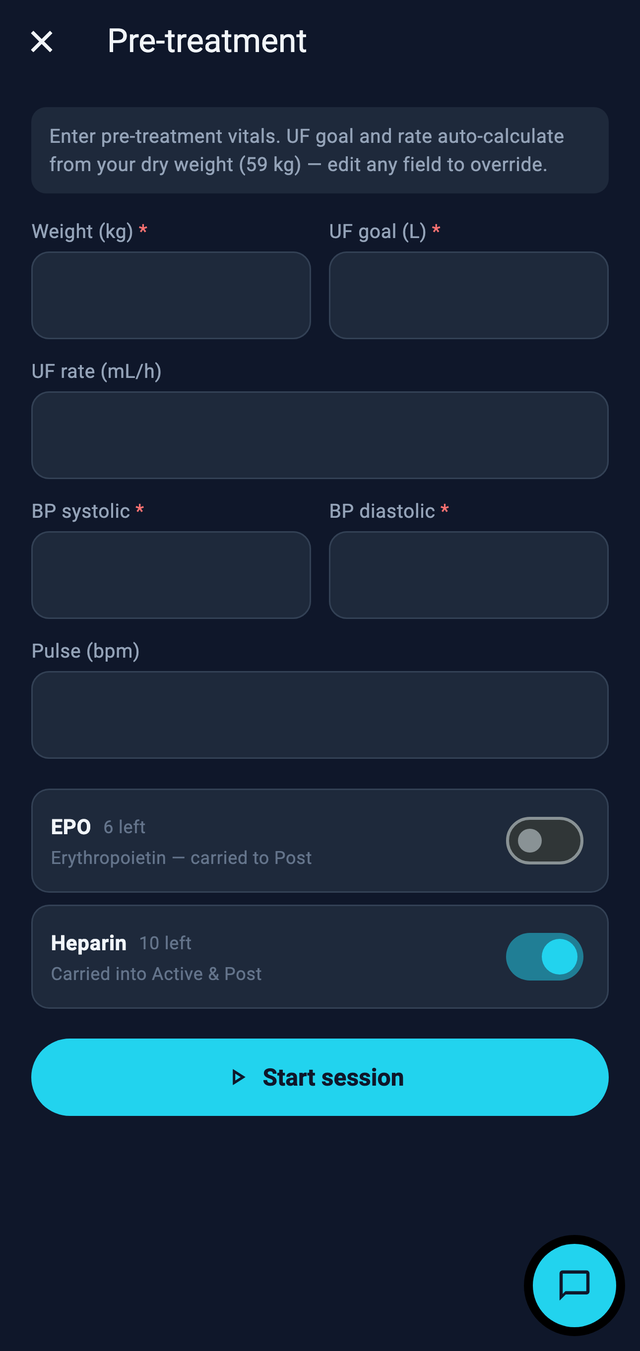
This one drives the app: open a screen, pre-fill a form, start a flow. Crucially it doesn't poke at the interface directly — every action goes through a small state machine, so "fill the pre-treatment form" is a defined, allowed move, not the model clicking around hopefully. And it always stops short of committing. It pre-fills; I confirm. The amber highlight you can see above is a deliberate tell: it shows me exactly what the AI touched before I sign off.
The layer that only looks
The second layer is a read-only /api/mcp endpoint that exposes my data to a model over the Model Context Protocol — read-only, by design. A model can look; it can't write to my records over the wire. Anything that changes data has to come back through the on-device path, where I'm in the loop.
The rule: separate "look" from "touch"
Reading is low-risk and can be broad. Acting is higher-risk and should be narrow, explicit, and confirmable. Splitting them into two layers — a read-only data context and a constrained, human-confirmed action layer — is how you get an agent that's genuinely useful without being scary. That split holds for almost any agent in production.
This is the agent question every team hits eventually: not "can the model call tools," but "what is it allowed to do unsupervised, and how do I prove it." When it's your own health on the line, you answer that question honestly.